
Getting Started - Automatic Email and SMS Followup
Set up automated email and SMS drip campaigns to nurture 100+ leads over time. Boost your conversion rates by ensuring consistent follow-up without spending your precious time doing it manually.
TABLE OF CONTENTS
Create Automated Form Submission Email Followup
Create Automated Form Submission SMS Followup
Create Automated Form Submission Email Followup
Automated email follow-ups can transform your lead nurturing strategy. Think of this as your virtual assistant, handling responses seamlessly so you can focus on growing your business. Let's dive right in!
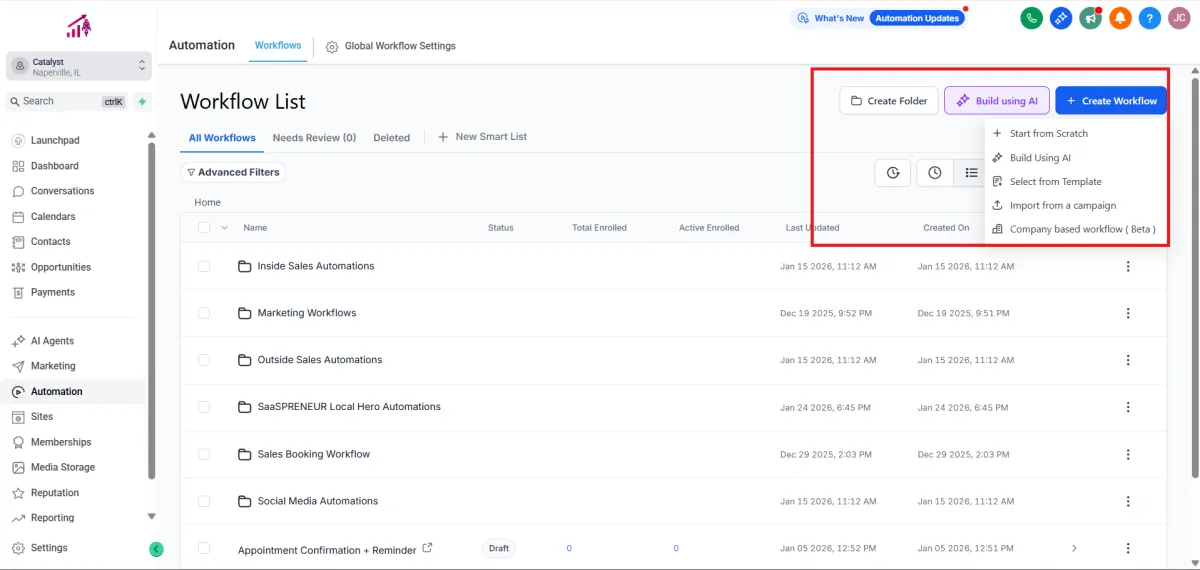
1.Navigate to Automation.
2.Click Create Workflow > Select a Recipe
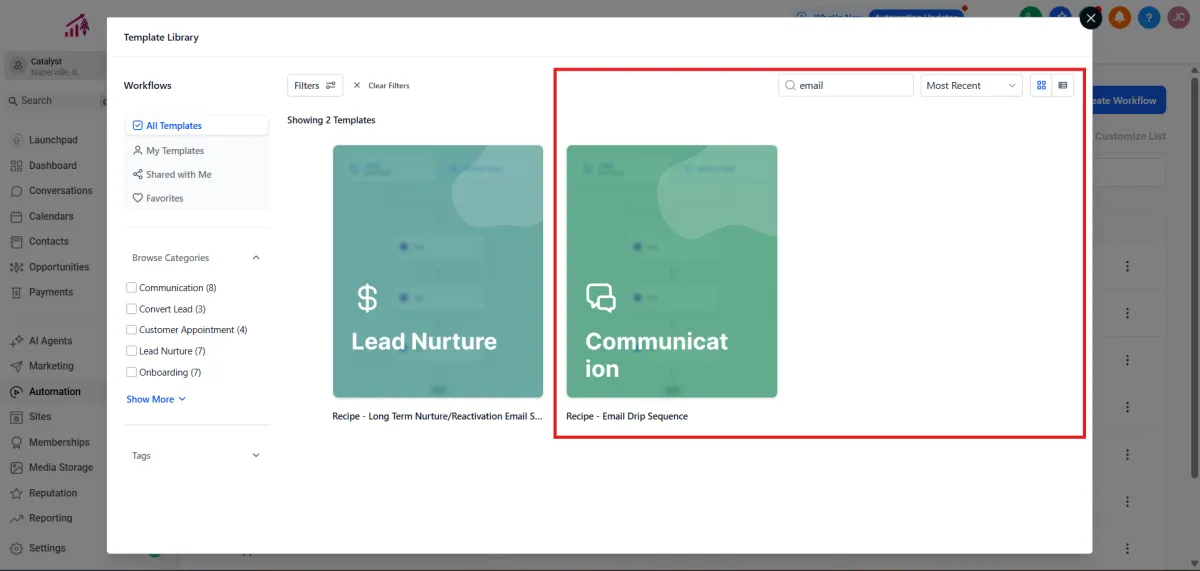
3.Select the recipe Email Drip Sequence.
4.Add the trigger Form Submitted: Click Add filter, choose Form is, select the relevant form, then click Save.
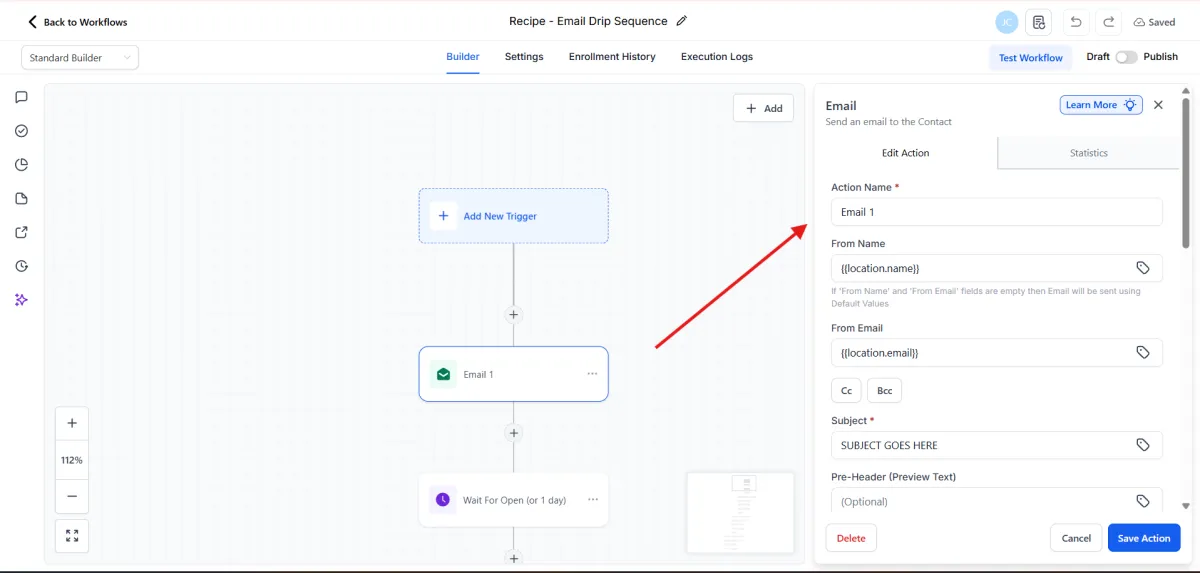
5.Edit the email actions by customizing the subject, message content, attachments, and other details. Then click Save Action.
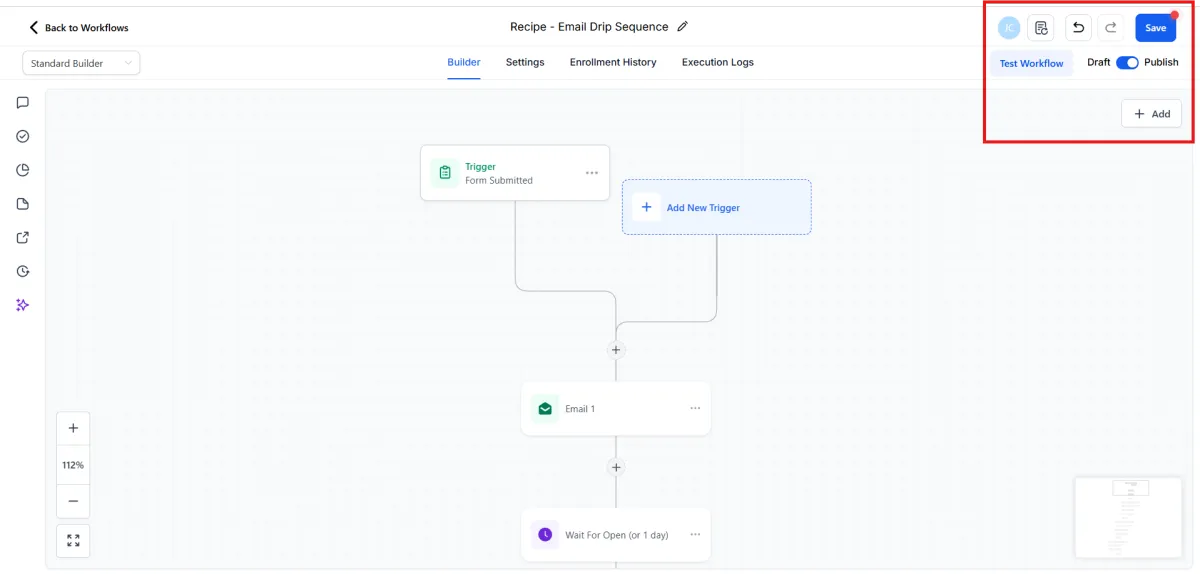
6.Click Publish.
7.Click Save.
Create Automated Form Submission SMS Followup
Sending SMS follow-ups alongside your emails can greatly enhance your communication effectiveness. With texts typically opened within minutes, this approach ensures you're always top-of-mind. Here's how you do it:
1.Navigate to Automation.
2.Click Create Workflow > Select Start from scratch
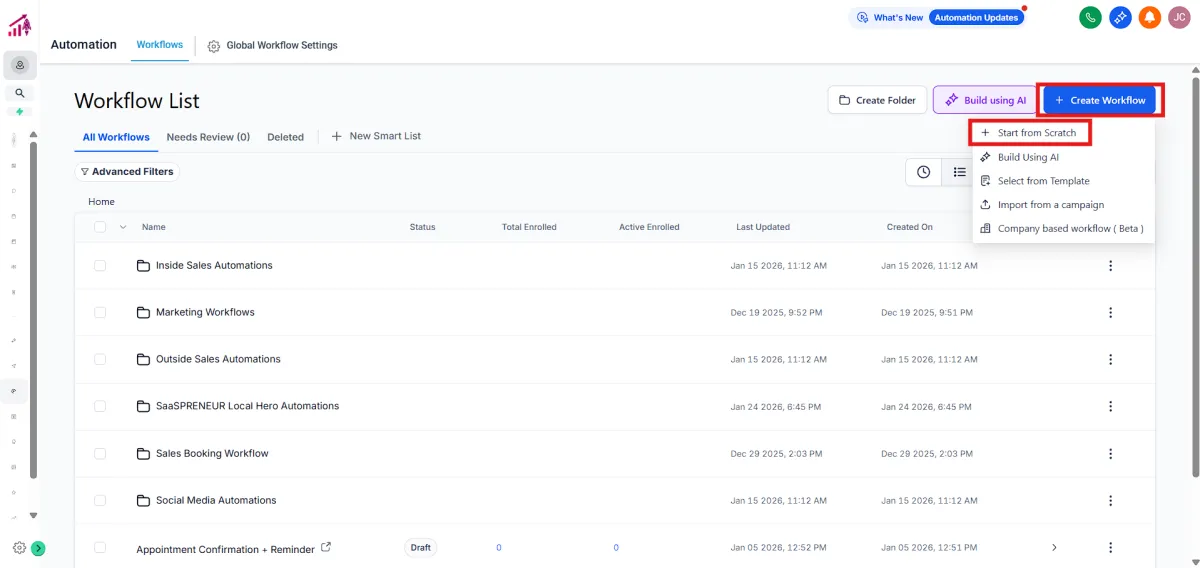
3.Add the trigger Form Submitted: Click Add filter, choose Form is, select the desired form, and click Save.
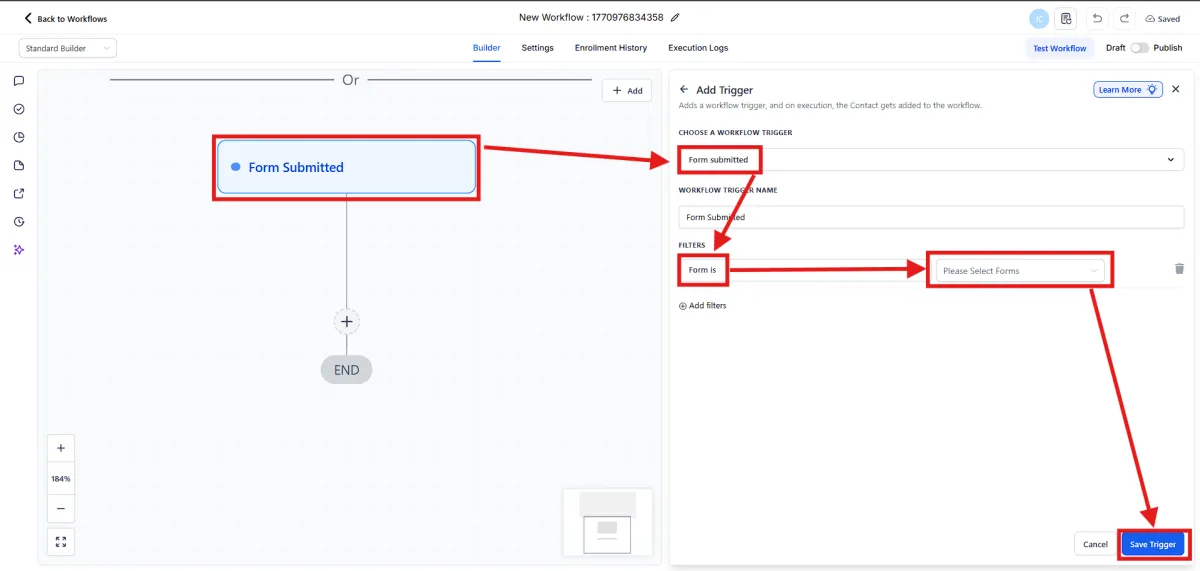
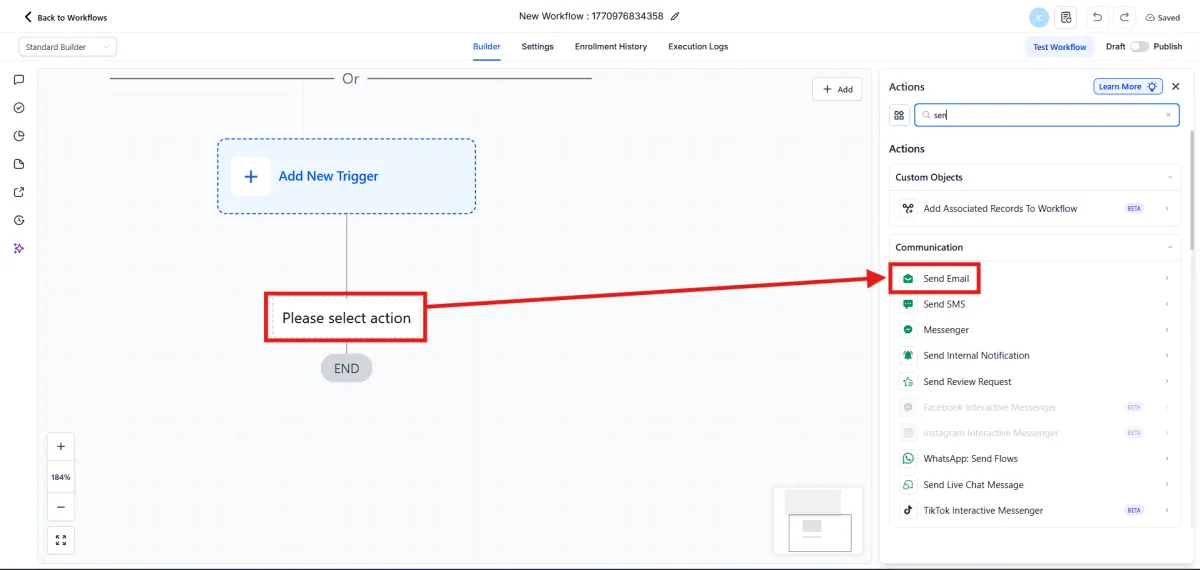
4.Add the Send SMS action.
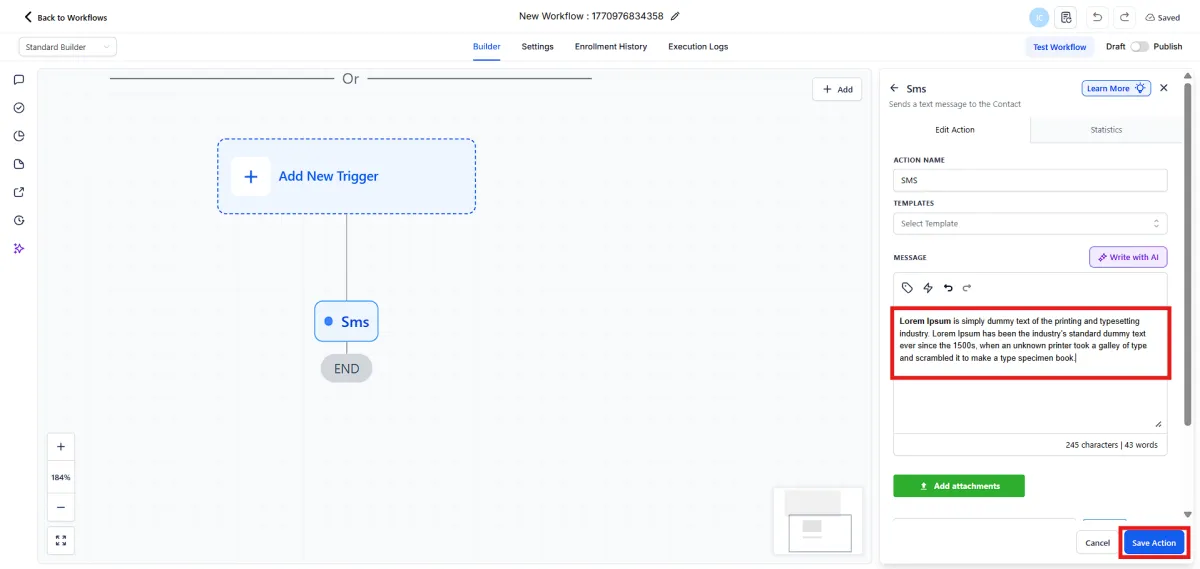
5.Write your engaging message clearly and succinctly, then click Save Action.
6.Add the Drip action BEFORE your Send SMS action.
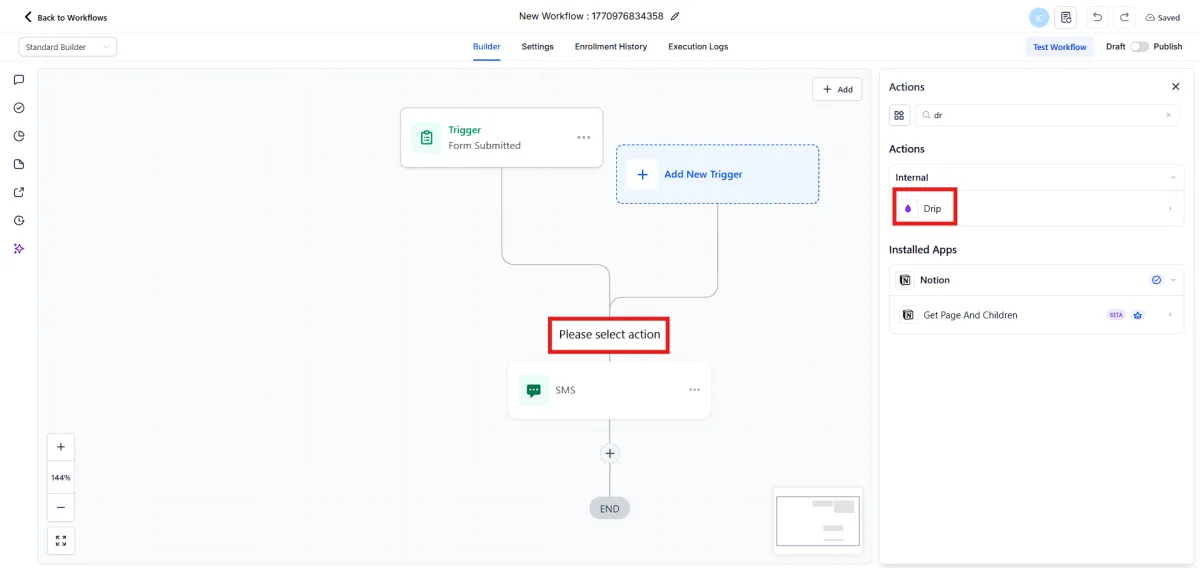
7.Set your batch size to 100. Choose the drip interval as every 1 day. Click Save Action.
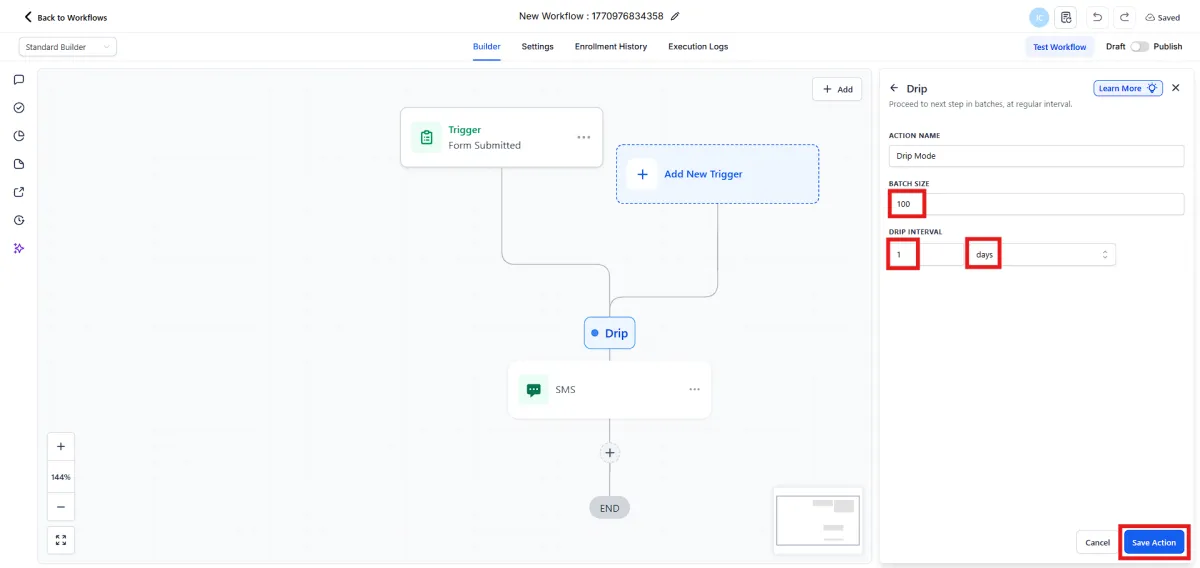
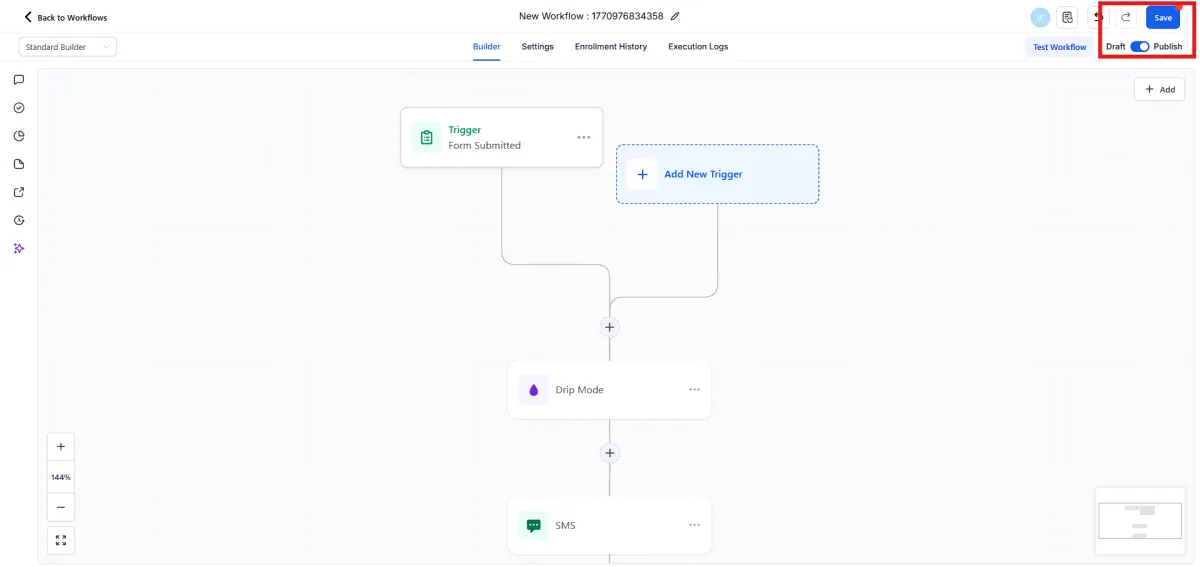
8.Click Publish.
9.Click Save.
Empowering businesses with innovative solutions, we are committed to providing seamless support and fostering growth. Connect with us for a brighter, smarter future!
Quick Links
Contact Us
Legal